Free SERP Tracking Tools: Features and Guide
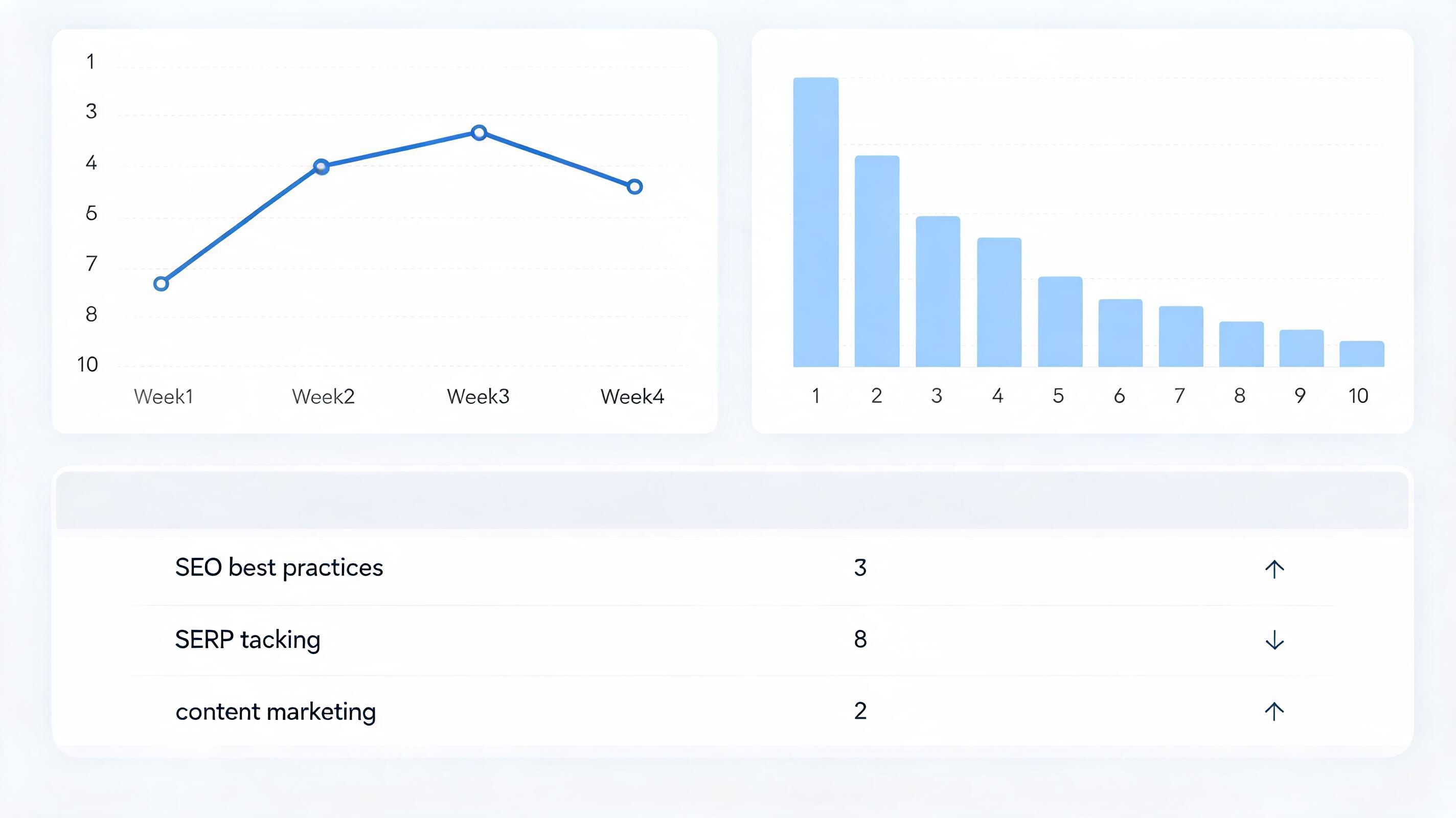
Free SERP tracking tools let you monitor your website's keyword positions without paying anything; they usually offer features such as daily updates, a limited number of keywords and basic reporting. These tools are an ideal solution for beginners who want to track organic rankings, analyze CTR and keep an eye on the competition.
What Are Free SERP Tracking Tools?
What SERP tracking means
SERP (Search Engine Results Page) tracking means monitoring organic positions for specific keywords in search engines such as Google and Bing. This process lets you detect ranking fluctuations and optimize your SEO strategies.
Common features of free tools
- Daily or weekly updates
- A limit of 10‑500 keywords (varies by plan)
- CSV export and basic charts
- Mobile compatibility and local results tracking (limited in some tools)
Why choose a free solution?
There is no upfront cost, setup is quick and maintenance is minimal. It is a budget-friendly starting point, especially for small businesses, agencies and individual SEO enthusiasts.
Popular Free SERP Tracking Tools
Using Google Search Console
Google Search Console (GSC) is Google’s official free service; its “Performance” report shows your most-clicked keywords, average position and CTR. However, daily updates and multi-site management are limited.
Ubersuggest free version
Ubersuggest, offered by Neil Patel, provides tracking for 100 keywords per month, simple charts and competitor analysis. Data can be delayed by 3‑5 days.
SERProbot free plan
SERProbot tracks 10 keywords and 5 pages per day. There is no API support, but CSV export is available.
SEO SpyGlass Free
The free version of SEO SpyGlass offers limited SERP tracking alongside backlink analysis, with weekly updates and a 100-keyword limit.
Rank Tracker Free version
The free version of Rank Tracker offers tracking for up to 25 keywords for a single domain, chart reports and email notifications.
| Tool | Keyword Limit | Update Frequency | CSV Export | API |
|---|---|---|---|---|
| Google Search Console | Unlimited (tied to Search Console) | Weekly | Yes | No |
| Ubersuggest | 100 / month | Daily | Yes | No |
| SERProbot | 10 / day | Daily | Yes | No |
| SEO SpyGlass Free | 100 / month | Weekly | Yes | No |
| Rank Tracker Free | 25 / domain | Daily | Yes | No |
Features and Limitations of Free Tools
Update frequency limits
Free plans usually have a limit of 10‑20 queries per day, which may not be enough for high-volume sites.
Keyword count restrictions
Most tools can track between 10 and 100 keywords. A larger portfolio requires a premium upgrade.
Data retention period
Free versions usually keep historical data for 30‑90 days, which limits long-term trend analysis.
Reporting and visualization options
Basic charts and CSV export are available; advanced dashboards, PDF reports and automatic email notifications are premium features.
API access
The API is usually unavailable in free tools; automation and integrations require purchasing a separate service.
Choosing the Best Tool for SERP Tracking
Criteria for choosing a tool based on your needs
- Number of keywords to track
- Need for mobile and local SEO tracking
- Reporting frequency and format
- Need for API integration
Mobile and desktop compatibility
Google Search Console and Ubersuggest show mobile results separately, while SERProbot and Rank Tracker only provide the general SERP.
Local SEO and voice search support
Tracking local results requires Google My Business integration; this feature is rarely found in free tools.
Free vs. premium options compared
Although free plans are sufficient at the start, critical needs such as scalability, API access and long-term data retention require moving to premium packages.
User experience and interface review
Google Search Console has the cleanest interface, while Ubersuggest and SERProbot offer more modern charts. Rank Tracker’s dated interface can be confusing for beginners.
Setup and User Guide for Free Tools
Steps to create an account
- Go to the tool's website and click the "Sign Up" button.
- Create your account with an email address and password.
- Open the verification email and activate your account.
Adding keywords and tracking settings
- Find the “New Project” or “Add Keyword” option in the dashboard.
- Enter the keyword you want to track and select the target country and device (desktop/mobile).
- Set the update frequency (daily/weekly) and save.
How to export reports
Go to the “Reports” tab in the dashboard and click the “Export as CSV” button. The file will be downloaded to your computer.
Integration with browser extensions
Ubersuggest and SERProbot offer Chrome/Firefox extensions that let you run instant SERP checks right on the page.
Common errors and how to fix them
- Error: Keyword limit exceeded – Solution: Delete unnecessary keywords or upgrade to a premium plan.
- Error: Data is not updating – Solution: Clear your browser cache and reconnect your API key.
Analyzing SERP Tracking Results
Reading the ranking chart
An upward trend in the chart indicates growing organic visibility, while a downward trend points to an algorithm change or increased competition.
The relationship between CTR and organic traffic
A high position with a low CTR shows that your meta descriptions and titles are not compelling; the title and meta description should be improved.
Identifying the causes of fluctuations
Factors such as a Google Core Update, changes in site speed or lost backlinks can cause ranking fluctuations.
Long-term trend analysis
Accumulating 90‑180 days of data plays a critical role in planning around seasonal effects and competitor strategies.
Comparing against competitors
Although free tools offer limited competitor data, you can use the “Compare” option in Google Search Console to see the most-clicked competing pages.
This comprehensive guide also considers integration opportunities with tools such as SEOAsist Rank Tracking and the Free instant SEO audit.
Frequently asked questions
What features do free SERP tracking tools offer?
They usually provide basic SEO monitoring features such as daily/weekly updates, a limited number of keywords, basic charts, CSV export and mobile compatibility.
Are there other tools besides Google Search Console that I can use for free SERP tracking?
Yes, tools such as Ubersuggest, SERProbot, SEO SpyGlass Free and Rank Tracker Free offer SERP tracking on their free plans.
How many keywords can I track per day with free tools?
It varies by tool, but most free plans set a daily limit of 10‑20 keywords; Ubersuggest applies a limit of 100 keywords per month.
How can I track mobile search results with a free tool?
You can track mobile SERPs separately with Google Search Console's mobile reports and Ubersuggest's device selection feature.
Do free SERP tracking tools provide API support?
Most free tools do not offer an API; API access is usually available on premium plans.
How can I analyze SERP position fluctuations over the long term?
Export 90‑180 days of historical data as CSV, build a trend chart in Excel or Google Data Studio, and correlate the changes with algorithm updates.
