Let your own AI subscription do your SEO
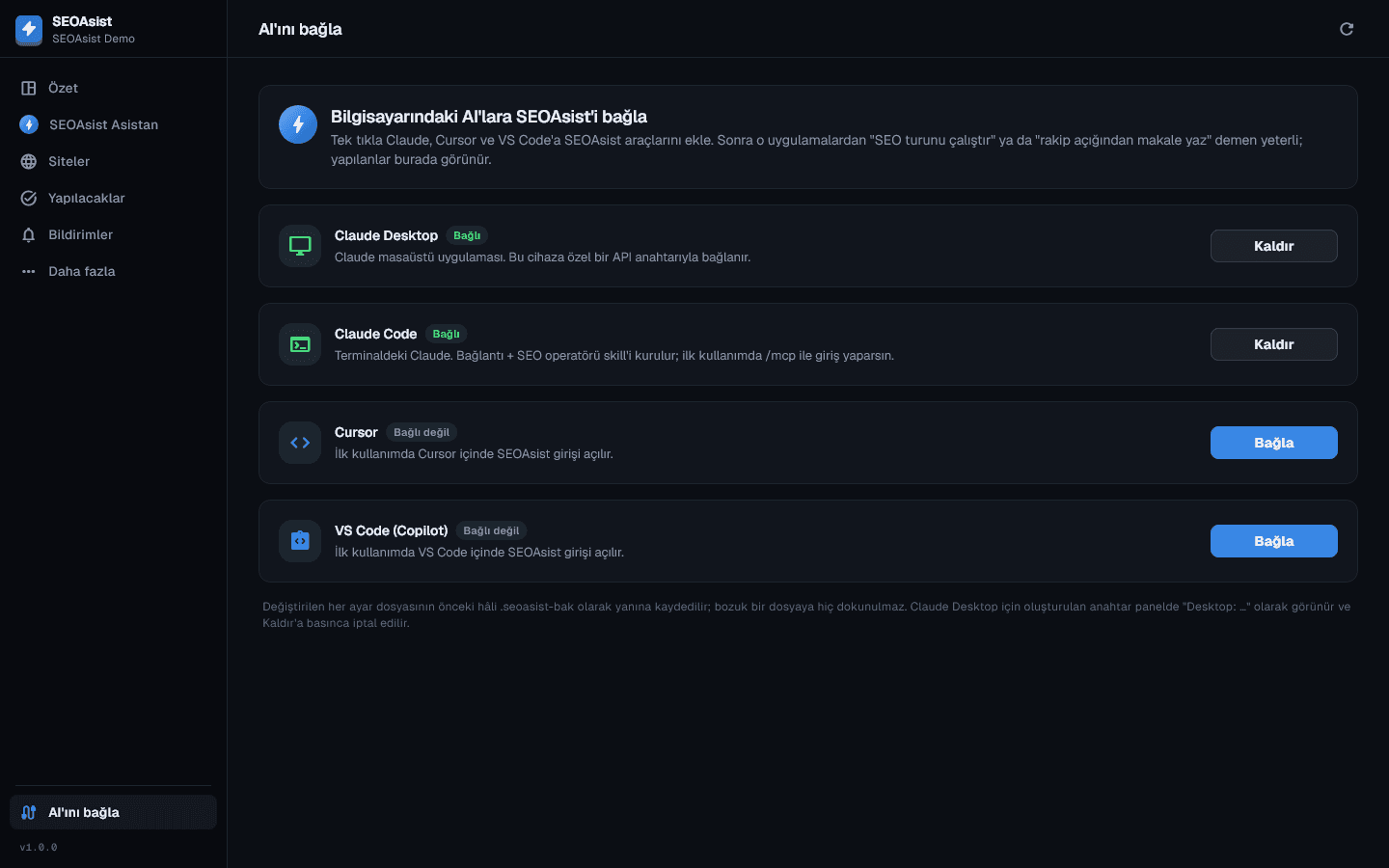
You already use Claude, ChatGPT or Cursor. Add SEOAsist as a connector and say “run the SEO round for my sites”; the AI works with SEOAsist's tools and the work shows up in the panel, the desktop app and your notifications.
SEOAsist teamUpdated:
No credit card required · First crawl in 5 minutes
How it works
Connect → sign in → ask.
- 1
Add the connector
Add https://seoasist.com/api/mcp to your AI app or connect in one click from the desktop app. No key to copy.
- 2
Sign in with SEOAsist
On first use the SEOAsist sign-in opens; pick the organization and the permission (read only or act). Revoke it from the panel at any time.
- 3
Ask for the work
“Run the SEO round”, “write an article from the content gap”, “find backlink opportunities”. Ready commands appear in the AI app's command menu.
What it does
From whichever AI you use.
Claude (web and desktop)
Add it as a custom connector in claude.ai and Claude Desktop and authorize with SEOAsist sign-in. Ready commands appear in the menu.
ChatGPT
Add the SEOAsist MCP URL as an app/connector in developer mode; it uses the same OAuth sign-in.
Cursor and VS Code
Add the URL to the MCP settings or press “Connect” in the desktop app; the SEOAsist sign-in opens inside the editor on first use.
Claude Code and the SEO skill
Connect with claude mcp add --transport http seoasist https://seoasist.com/api/mcp; with the SEO operator skill, “/seoasist” runs the whole round.
40 tools, 5 ready commands
Sites, issues, fix PRs, Pixel rules, keywords, content, backlinks and outreach, GEO, monitors, plan tasks, notifications.
Secure connection
OAuth 2.1 + PKCE; each connection sees only the organization you choose, acts within your role and can be revoked in the panel.
You already pay for AI; put it to work
Turn the assistant you already use into an SEO team, with no extra AI fee.
- Claude, ChatGPT, Cursor, VS Code, Claude Code
- Works on real data and does real work
- One-click connection, no key copying
- Results tracked in the panel and the app
- No AI integration, or chat only
- Copy data by hand and paste it into AI
- API only on enterprise plans
- Work done by AI never flows back
Frequently asked questions
Do I pay extra for AI?
No. The connected AI app uses its own subscription (e.g. Claude Pro, ChatGPT Plus). On the SEOAsist side, a plan with API access is enough.
What can the AI do on my behalf?
With read permission, reports only; with act permission it starts crawls, opens fix PRs, adds Pixel rules, sends articles to review and builds outreach lists. Rewrites of existing pages are never published.
What does a teammate see if they connect?
They are limited to their own role and see only the organization they choose. Connections are listed in the panel and revoked in one click.
Can I run it on a server or in CI?
Yes. Where no sign-in window can open, send an API key in the Authorization: Bearer header or use the @seoasist/mcp package on npm.
Get your first crawl in 5 minutes
Start on the free plan, add your sites, connect Search Console. Bring your team and clients when you are ready.
No credit card required · Cancel anytime