Write the SEO task, the assistant does it
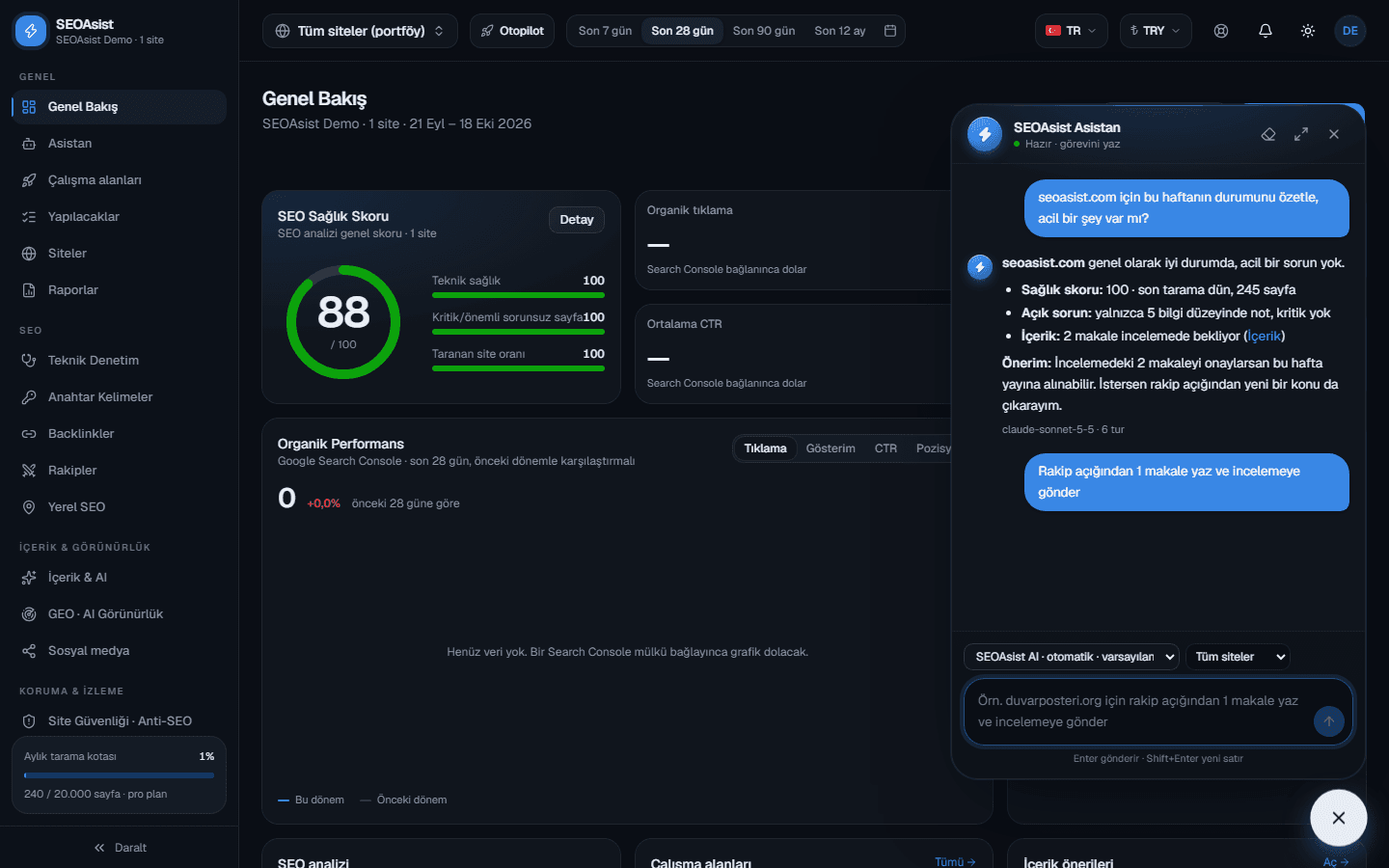
“Summarize this week”, “write 2 articles from the content gap and send them to review”, “open fixes for the critical issues”. The assistant does the real work with SEOAsist's tools and shows it in the panel and the app.
SEOAsist teamUpdated:
No credit card required · First crawl in 5 minutes
How it works
Write → the assistant works → approve.
- 1
Write your task
Open the assistant in the corner of any page or pick a ready command: SEO round, articles from the content gap, backlink outreach, plan tasks, weekly report.
- 2
The assistant uses the tools
It reads sites, issues, rankings and content; with your permission it starts crawls, opens fix PRs and sends articles to review. You see every step live.
- 3
Approve the result
Articles and page updates land in review; going live is always your call. The summary, links and actions stay in the chat.
What it does
Like adding an SEO specialist to your team.
Ready commands
SEO round, articles from the content gap, backlink outreach, plan tasks and weekly report in one click, for the site you pick.
Scheduled runs
“Run the SEO round every Monday at 09:00”: pick days, hour and time zone, choose report or act mode. The work runs on the server and the result arrives as a notification.
Permissions by role
The assistant works with your permissions: viewers only read, editors and owners get work done. It never sees another organization's data.
You control what goes live
Rewrites of existing pages are never published automatically; only blog posts go live, with your approval.
Model choice
Pick Claude, GPT, Gemini, Grok or OpenRouter models with your own AI key; the organization sets the default.
The same assistant everywhere
The widget in the web panel, the full-screen assistant page and the desktop app. On the desktop it can also run on your own Claude subscription.
Work, not reports
Most SEO tools tell you what to do; you still do the work.
- Finds the issue and opens the fix
- Writes the article and sends it to review
- Runs the weekly rounds by itself
- Every action is logged in the panel
- Long reports and to-do lists
- AI chat is separate and can't see your data
- No scheduling, every week by hand
- Copy-paste results into other tools
Frequently asked questions
Which AI model does the assistant use?
The keys your organization connects under Settings → AI models (Claude, GPT, Gemini, Grok, OpenRouter). Switch per chat with the model picker.
Will it publish anything without my approval?
It never publishes rewrites of existing pages; they wait for the owner in the editor. Blog posts land in review too; publishing is your call.
Do scheduled runs work while my computer is off?
Yes. Scheduled runs execute on the SEOAsist server; the result arrives as a notification in the panel, by e-mail and in the app.
How many scheduled runs can I create?
Up to 5 per organization; a summary of the latest runs is kept for each.
Get your first crawl in 5 minutes
Start on the free plan, add your sites, connect Search Console. Bring your team and clients when you are ready.
No credit card required · Cancel anytime