Automated SEO with GitHub: Pull Request Model and Approval Mechanisms
SEOAsist team
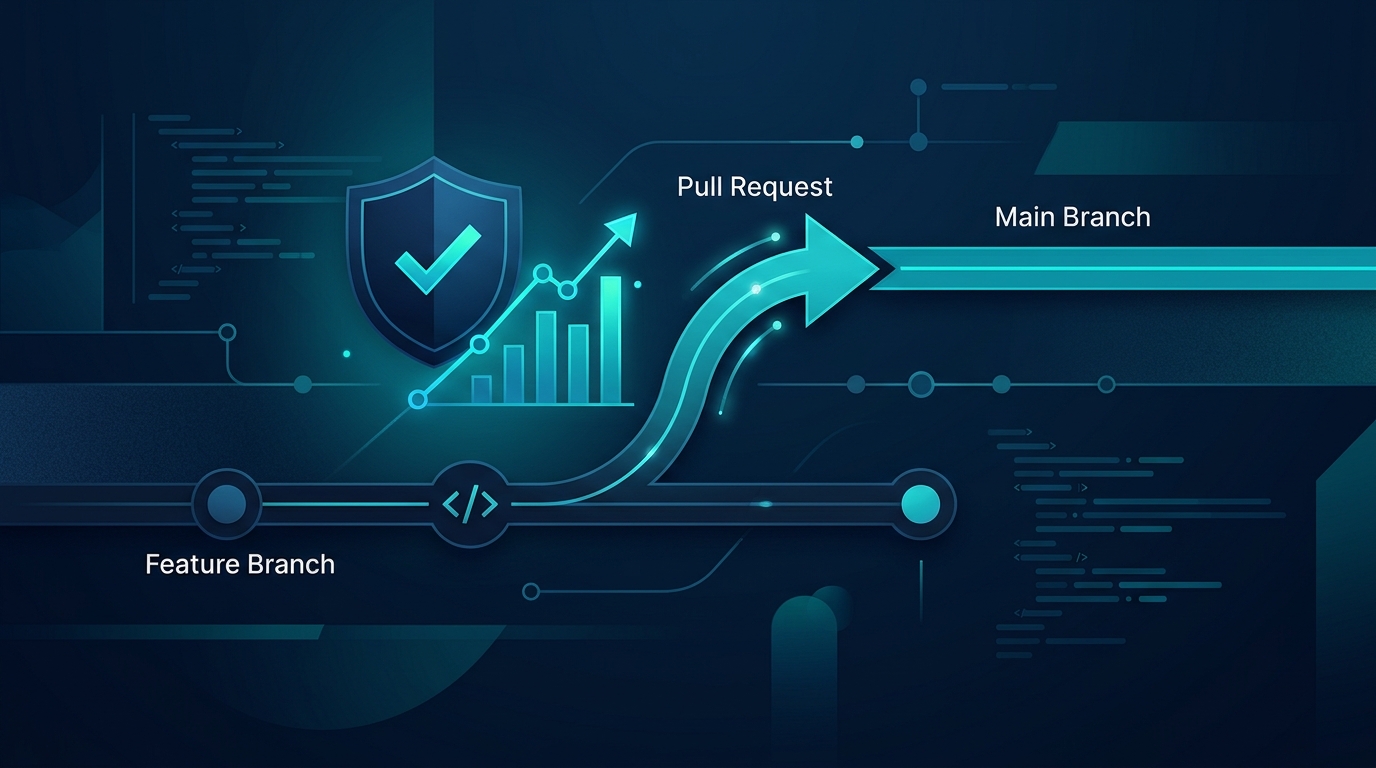
Automated SEO with GitHub means SEOAsist opens the technical issues it finds as a pull request on a separate branch instead of writing them straight into your code. You review the change and merge only what you want. That way you get the speed of automation while keeping the final decision, without putting the live site at risk.
What is automated SEO with GitHub?
SEOAsist crawls a site and produces a 7-dimension SEO analysis and a 30/60/90-day plan. It doesn't just list issues, it fixes them. One of the fix channels is a pull request opened on your GitHub, GitLab or Bitbucket repository. In this article we use GitHub as the example to explain how the model works and which approval layers exist.
If you are new to the topic, the pull request-based automatic SEO fix page offers a short summary. For the pull request concept itself, see GitHub's pull request documentation.
The starting point of the model is simple: most SEO fixes are small but critical code changes. A missing canonical, a duplicate title, a broken schema. Finding and fixing them by hand takes time. Automation takes over that work, but it doesn't take control of your code away from you.
Why is the pull request model safe?
Nothing is written directly to the main branch
SEOAsist opens the code change on a separate branch. It never writes directly to the main branch. This is the most critical safety rule of the automation: no fix reaches production until you merge it.
Every change stays reviewable
A pull request shows the change line by line. Your team sees the diff, leaves comments and rejects it if needed. The code review habits you already use apply to SEO work as well.
- Reversibility: An unmerged branch does not affect the live site.
- Traceability: Every fix is recorded as a single pull request.
- Ownership: The authority to merge belongs to the repository owner.
- Continuity: Your existing CI and test steps keep running on the pull request.
Step-by-step flow
- Connection: You connect your GitHub, GitLab or Bitbucket repository from the panel.
- Crawl and plan: SEOAsist crawls the site with a technical SEO audit, groups the issues and places them in the 30/60/90-day plan of the SEO analysis report.
- Fix: For an issue that must be solved at code level, a pull request is opened on a separate branch.
- Review: You or your team review the change on GitHub.
- Merge: The change you approve enters the main branch and goes live.
- Notification: Changed pages are reported to search engines via IndexNow.
Example scenario: The crawl finds a missing canonical tag on many pages. A single pull request is opened that changes the template file. Your team sees the diff, runs the tests and merges it. No step moves forward without your knowledge.
Approval mechanisms
Approval doesn't happen in just one place, it works in several layers. Each layer closes a different risk.
| Layer | What does it check? | Who decides? |
|---|---|---|
| Pull request | Does the code change enter the main branch? | Repository owner / team |
| Autopilot | When do plan tasks run? | Site owner (mode selection) |
| Publish gate | Is the automatic blog post fit for publishing? | System rules |
| Client approval | Does agency content go out without the client seeing it? | Client |
Autopilot and the publish gate
Autopilot runs the site's plan every day, writes a daily briefing and executes tasks in order. Changes go live with the owner's approval. In fully automatic mode it only does the tasks that don't require approval.
A rewrite of an existing page never goes live automatically. Because these pages carry rankings, the owner publishes them from the editor. Automatic publishing applies only to blog posts.
A post that is going to be published automatically passes through the publish gate. The gate checks the following:
- Meta information and slug
- Post length and the site's language
- Schema and featured image
- Image alt texts
- Whether there are unverified claims
- An E-E-A-T page score of at least 80 (E-E-A-T score)
A post that fails the gate drops into review. In other words, instead of publishing questionable content, the automation hands it over to you. For Google's content quality expectations, the Google Search Central documentation is a good starting point.
Which channel, and when?
Not every site gives access to its code repository. That is why SEOAsist offers more than one fix channel. Choosing the right channel reduces unnecessary friction.
| Channel | What does it do? | When is it suitable? |
|---|---|---|
| Pull request | Opens the code change on a separate branch | If you have access to the code repository |
| SEOAsist Pixel | Rules for title, meta description, canonical, h1, alt text, Open Graph and JSON-LD | If you need a quick fix without touching code |
| Site API / WordPress plugin | Applies rules directly to the site | If you have a WordPress or API integration |
A pull request is the permanent solution: the problem is fixed at the source, in the template. Pixel is the quick solution and doesn't touch your code. Most teams can use both together: close urgent issues with Pixel, and eliminate the root cause with a pull request.
Reviewing a pull request in practice
Reviewing an SEO pull request calls for a different eye than a general code review. The questions below keep the review short and effective. This approach is a working routine that helps teams managing SEO fixes across multiple sites.
- Is the scope narrow? A good SEO fix targets a single type of issue. A change that touches unrelated files is suspicious.
- Template or single page? A fix in a shared template affects hundreds of pages. So check the list of affected URLs.
- Do the tests pass? Your existing CI steps run on the pull request. If a test is red, don't merge.
- Is the preview correct? Visually verify the title and meta length, the canonical address and the schema fields in the preview.
- Post-merge monitoring: After the change, confirm in the panel that the issue is closed in the next crawl.
This list is especially valuable in multi-site management. When the same type of issue repeats across different sites, review time drops quickly, because you already know what to look at. A consistent review routine turns the speed that automation offers into real gains.
If you are on a team without code access, the flow is even simpler. You close the same issues with Pixel rules and track the results in the crawl. If repository access comes later, you can move the permanent fix for the same issues to a pull request.
Common automation risks and safeguards
Automated SEO fixing is powerful, but like every powerful tool it requires conscious use. Below we have collected the most common risks and the safeguards that answer them.
| Risk | Safeguard |
|---|---|
| A faulty change going straight to production | Pull request model: nothing is written directly to the main branch, merging is up to you. |
| A page that carries rankings changing automatically | Rewrites of existing pages are never published automatically; the owner publishes them from the editor. |
| A low-quality blog post being published | The publish gate and the minimum E-E-A-T score of 80; a post that fails drops into review. |
| Content going out without the client's knowledge | Client approval setting for agencies; unapproved content doesn't go out through any channel. |
The common point is clear: a human decision stands in front of every risk. Automation takes over the repetitive work, and the critical decision stays with the owner. This balance is the foundation of an autonomous SEO flow you can trust.
A practical suggestion: in the first week, run Autopilot in approval mode, look at the types of pull requests that are opened and settle your team's review rhythm. Once the routine is established, you can decide which tasks don't need approval and adjust the mode accordingly.
Client approval for agencies
If you work at an agency, the approval chain gets one more link. Agencies can turn on the "Require client approval before publishing" setting on the Settings › Team page. While the setting is on, posts and page updates approved by the team go to the person with the "Client approval" role.
Until the client approves, content doesn't go live through any channel: manual, scheduled, Autopilot or Shopify publishing included. The client can send content back with a note. Since code changes are pull requests, the client approves them by merging on GitHub.
On the agency plan, each client is managed as a separate organization and you get white-label reports. For details, see the agency mode page.
Checklist before you start
- Decide which issues will be solved in code and which with Pixel.
- Determine who will review the pull requests.
- Choose the Autopilot mode: with approval or fully automatic?
- If you are an agency, turn on the client approval setting and assign the "Client approval" role.
- After merging, verify that the changed pages are reported via IndexNow.
This list looks small, but in practice it is the part that prevents the most problems. If it's not clear who is responsible for review, pull requests pile up and the benefit of automation is lost.
Conclusion
The pull request model strikes the balance between automation and control. SEOAsist does the work, you make the decision. Nothing is written directly to the main branch, page rewrites are not published automatically, blog posts pass through the publish gate, and for agencies the client has the final word. To try it, take a look at SEOAsist and start for free.
Frequently asked questions
Does SEOAsist write directly to the main branch of my GitHub repository?
No. The code change is opened as a pull request on a separate branch. It is not written to the main branch; the decision to merge is yours.
Does the same model apply if I use GitLab or Bitbucket?
Yes. SEOAsist can open pull requests on GitHub, GitLab and Bitbucket repositories.
What should I do if I don't have access to the code?
With SEOAsist Pixel, the Site API or the WordPress plugin, you can apply title, meta description, canonical, h1, alt text, Open Graph and JSON-LD rules without touching the code repository.
Is a rewrite of an existing page published automatically?
No. Rewrites of existing pages never go live automatically. Because these pages carry rankings, the owner publishes them from the editor.
Which content does automatic publishing apply to?
Only blog posts. The post must pass the publish gate and have an E-E-A-T page score of at least 80; a post that fails drops into review.
How do agencies enforce client approval?
Turn on the 'Require client approval before publishing' setting on the Settings › Team page. Until the client approves, content doesn't go live through any channel; the client approves code changes by merging them on GitHub.
